How to cancel a subscription you forgot you were paying for
Most subscriptions people still pay for are forgotten, not chosen. Here is how to find them, how to cancel properly, and the mistake that creates a debt.
Most of the subscriptions people are still paying for are not errors of judgement. They are oversights. You cancelled it in your head eight months ago, you never actually did it, and the payment goes out every month without any statement making it visible.
Here is how to find them, and how to cancel in a way that actually ends the contract.
First, find what you are paying for
Nobody can list their own subscriptions from memory. The reliable method is to go through three months of bank statements, not one: monthly, quarterly and annual charges only all appear over a long enough window.
Three traps in those statements:
- The billing name isn’t the brand name. A charge from a company you have never heard of is usually a service you use every day under a different name.
- Annual charges hide. They appear once, often at a date you have forgotten, and they are frequently the largest single line.
- App Store and Google Play charges are aggregated. One line can cover four different subscriptions. You have to open the store account to break it down.
The mistake that creates a debt
Blocking the payment without cancelling the contract does not cancel anything. The contract runs on, the unpaid amounts accumulate, and you end up owing money plus fees.
Always cancel the contract first, and only then, if the charges continue, dispute them with the bank. Never the other way round.
Subscriptions bought inside an app
A subscription taken out through the App Store cannot be cancelled with the publisher, and deleting the app stops nothing. You have to go through your Apple account settings, under Subscriptions. The same is true on Google Play.
That is probably the single biggest source of forgotten charges today, because nothing about the act of deleting an app suggests that a payment carries on.
How to cancel a subscription properly
1. Use the online route if you subscribed online. Look for the cancellation button in your account area before anything else. It is the fastest path and it leaves a timestamped trace.
2. Otherwise, write. Email is enough in most cases, provided you keep a copy. For contracts that matter, registered post with acknowledgement of receipt remains the strongest proof.
3. Be specific. Your contract number, the start date, and the date you want it to end. Vague requests get answered vaguely.
4. Keep the confirmation. Without it you have nothing. Save it somewhere that isn’t the inbox you will empty next month.
5. Check the following statement. A cancellation is only real when the next payment doesn’t appear.
A note if you are in France
French law is unusually favourable here, and it is worth knowing even if you subscribed from abroad to a French service. Most auto-renewing contracts can be cancelled at any time after twelve months, with no reason and no fee. If the company failed to send you the legally required renewal reminder, you can cancel immediately and reclaim what was charged after the renewal. And since June 2023, anything you could subscribe to online must be cancellable online.
The real work is upstream
All of the above assumes you know what you are paying for. That is rarely true, and the total surprises almost everyone the first time they add it up.
That is what pushed me to build Noria: it adds your subscriptions into a monthly and yearly total, puts every payment on a calendar, spots price increases, and flags the cancellation windows that are open. It also drafts the letter, but you send it: nobody cancels on your behalf.
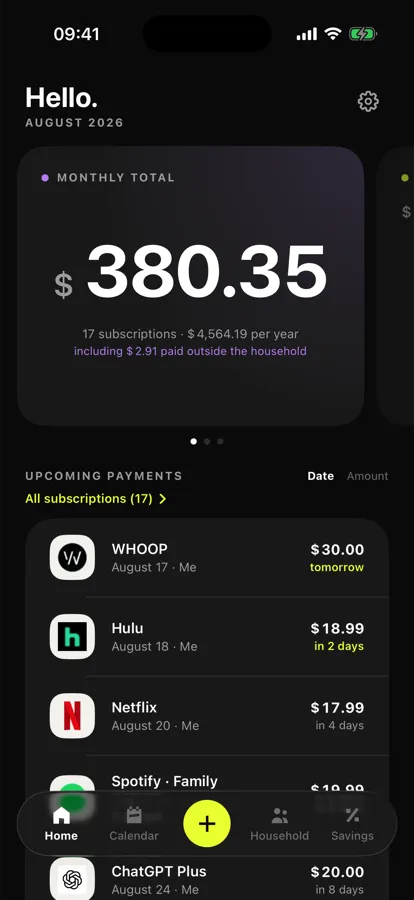
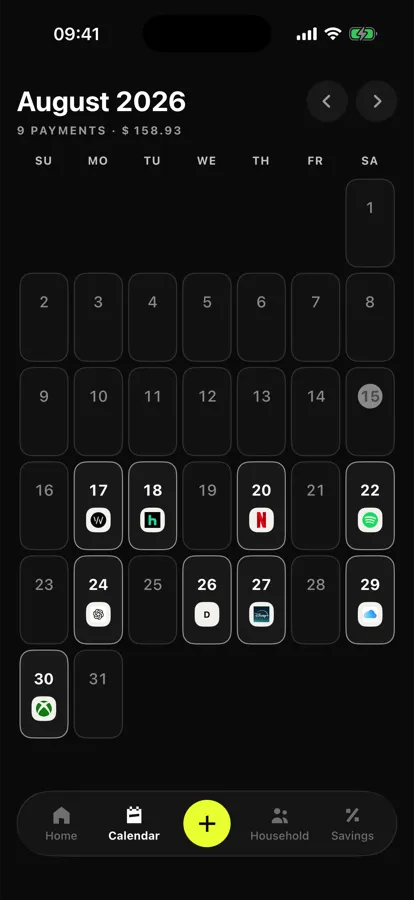
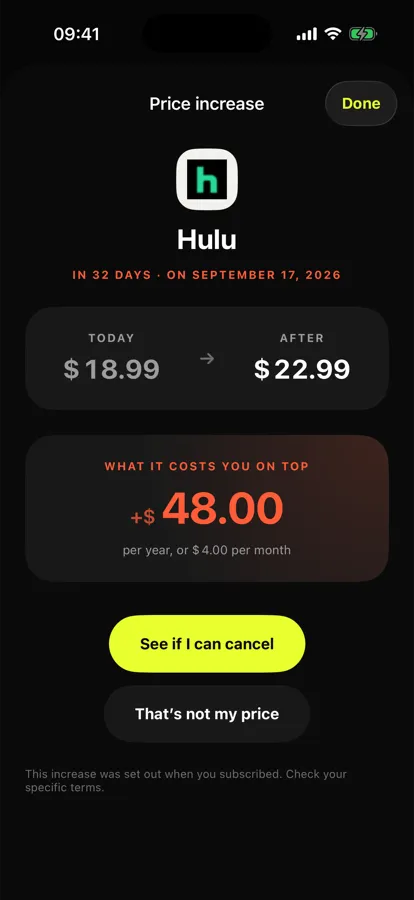
Noria: the monthly total, the charge calendar, then the price-increase alert.
In short
Find them across three months of statements, not one. Cancel the contract before touching the payment. Remember that deleting an app changes nothing. And keep the confirmation.