
Film 36 · On the web
The wedding photo QR code that gathers every guest's pictures
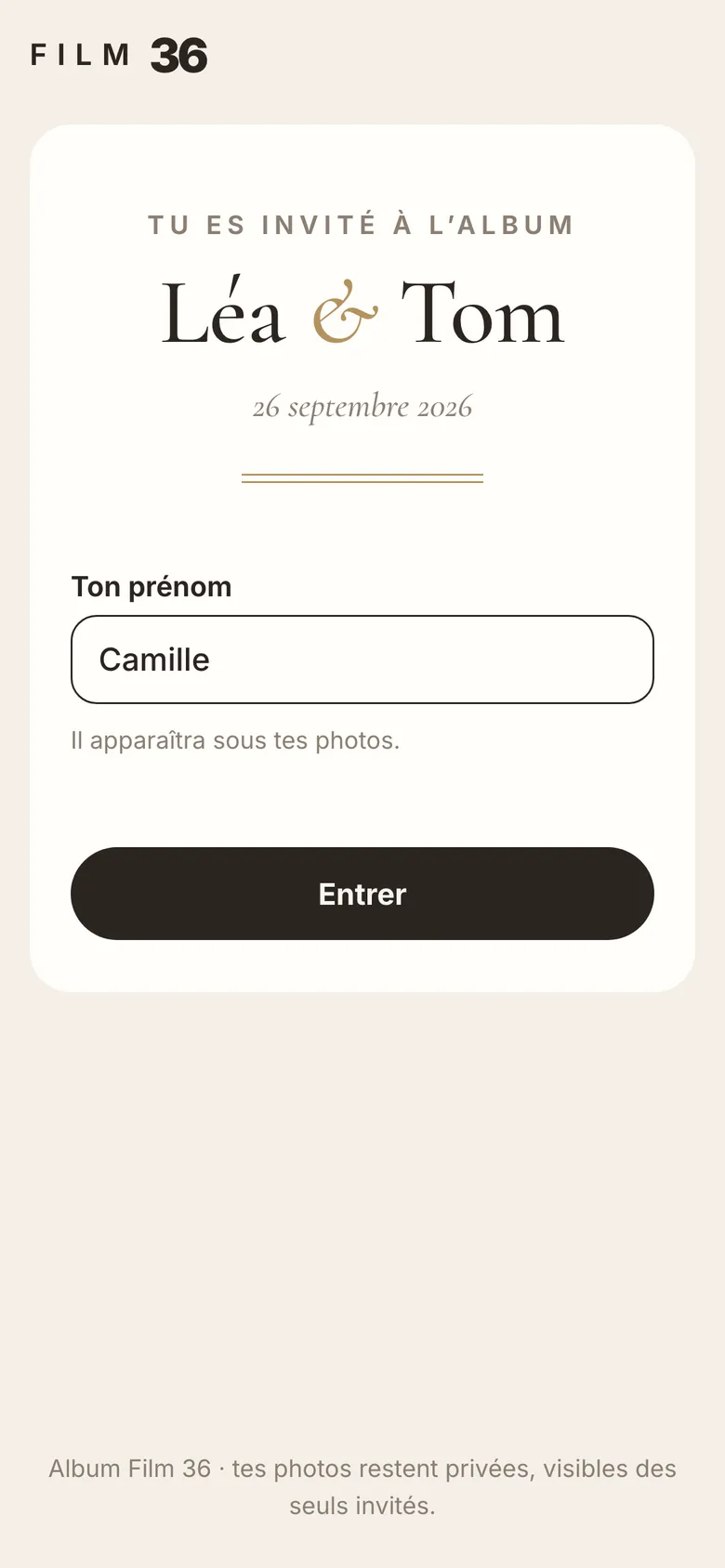
A QR code on the tables, and each guest drops their photos and videos into one album, at original quality. They install nothing and create no account: a first name is enough.
Free up to 100 photos. Full album: €49, once, no subscription.
-
30 s
for a guest to share their photos, from scan to upload
-
0
apps to install and accounts to create for your guests
-
12 months
to upload and download everything with the full album
The morning after
The photos are everywhere, except in one place
They sit on everyone's phone, in a WhatsApp group where they arrive downsized, in a shared album that asks for an account. And the guests who left early, or only think of it the next day, never send anything.
The QR code album gathers them in one private web album, dressed in the style of your wedding.
| What usually happens | With the QR code album |
|---|---|
| Photos come through WhatsApp, downsized and recompressed. | Each photo arrives exactly as the phone saved it, with its capture date. |
| A Google Photos album asks every guest for a Google account. | No account, no app: a first name is enough. |
| Guests who leave early, or remember the next day, send nothing. | The same link works before, during and after the wedding, for up to 12 months. |
| The venue has poor signal and the upload fails. | The upload pauses and resumes on its own when the signal comes back. |
| An embarrassing photo is visible to everyone. | You decide what guests see, and you can hide or delete. |
How the wedding photo QR code works
For the couple 2 minutes
-
Pick the offer
Photo gallery, guest book, or both.
-
Enter your names and the date
They appear on the guest page, the poster and the table cards.
-
Choose a style
Five styles, all included. You can switch later.
-
Sign in
By email, Google or Apple. The account is created at the end and the free album opens straight away: payment can wait.
For guests 30 seconds
-
Scan the QR code
On the poster or table card, with the phone's camera. Or open the link sent by WhatsApp, text or email.
-
Type a first name
It shows under their photos. That is all they are asked for.
-
Pick photos and videos
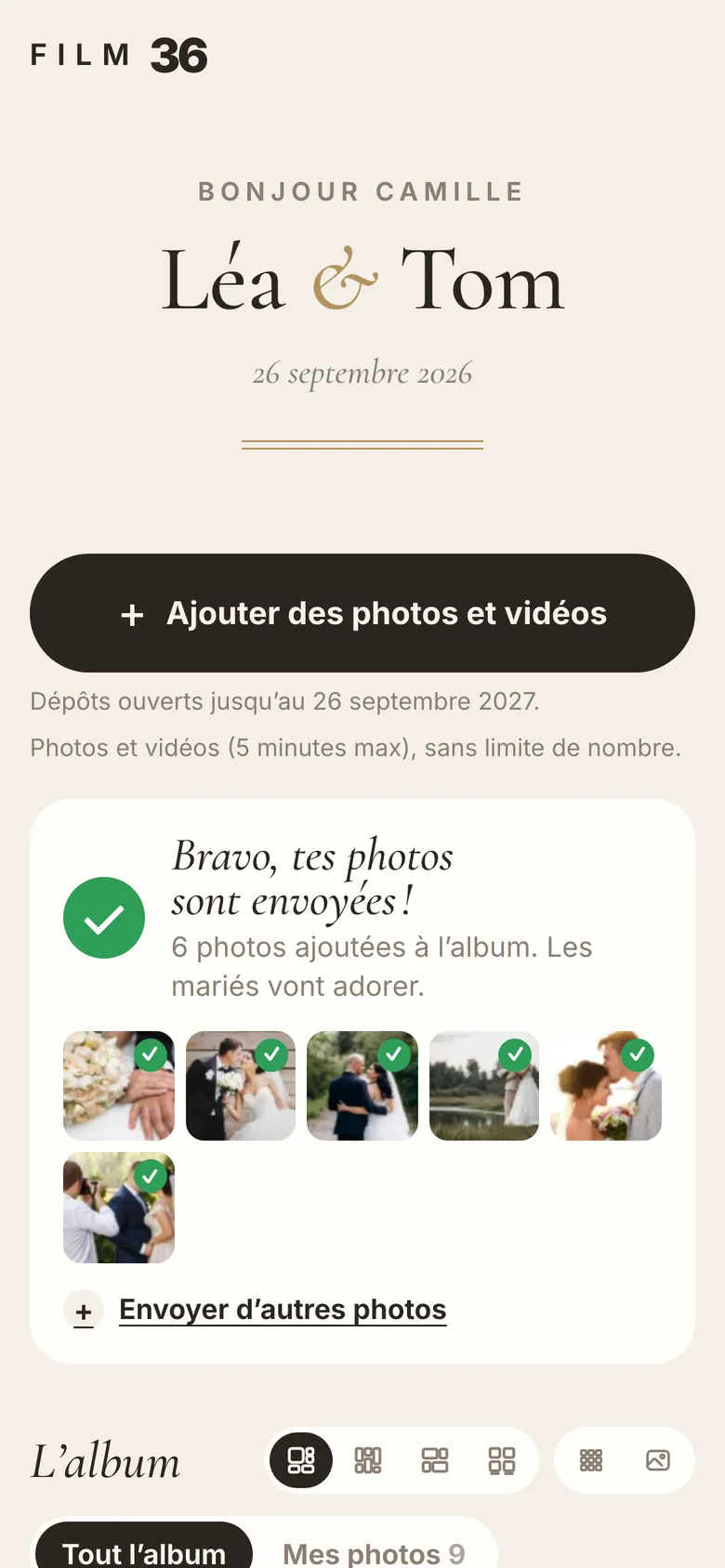
From the photo library, several at once. A screen confirms they have been sent.
For guests
Share without installing anything
The QR code opens a web page in Safari, Chrome, Samsung Internet or Firefox. Guests pick their photos from the party, the drinks reception, and even from before the wedding.
- Several files at once, uploaded in parallel.
- Original quality: nothing is downsized or converted. JPEG, HEIC, PNG and WebP for photos, MP4, MOV and M4V for videos.
- Weak or no signal: the screen says nothing is lost, and the upload resumes where it stopped.
- My photos: each guest finds their uploads and can remove the ones they regret.
- If you allow it, they can browse everyone's photos, in four layouts.
- In French or English, following the phone's language.
Share
The link, the QR code and a message ready to send
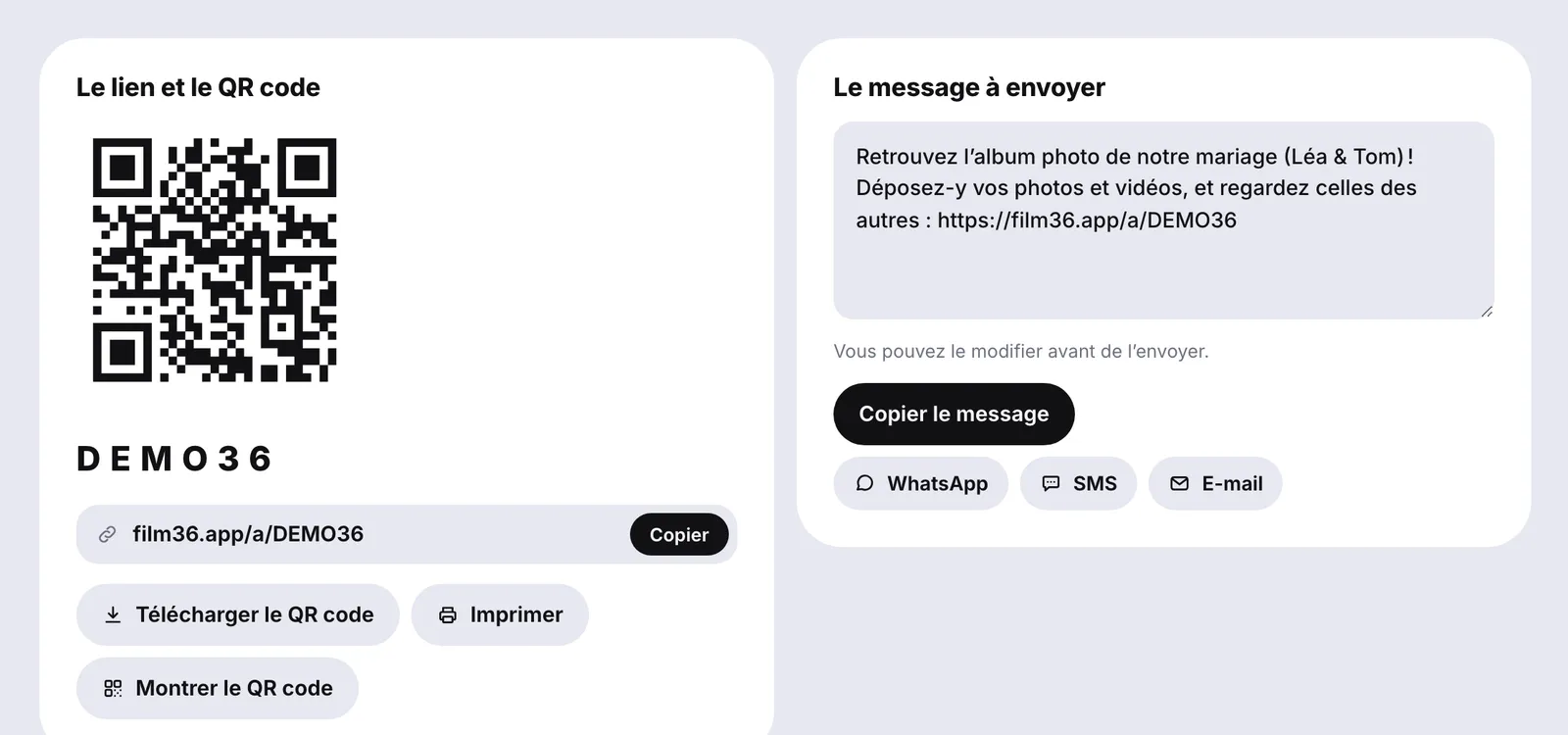
It all starts from one screen: your album's link, its QR code to download or show full screen, and a message already written for WhatsApp, text or email, which you can edit before sending.
For extra privacy, an optional 4-digit access code is asked of new guests on top of the link.
An A4 poster and table cards
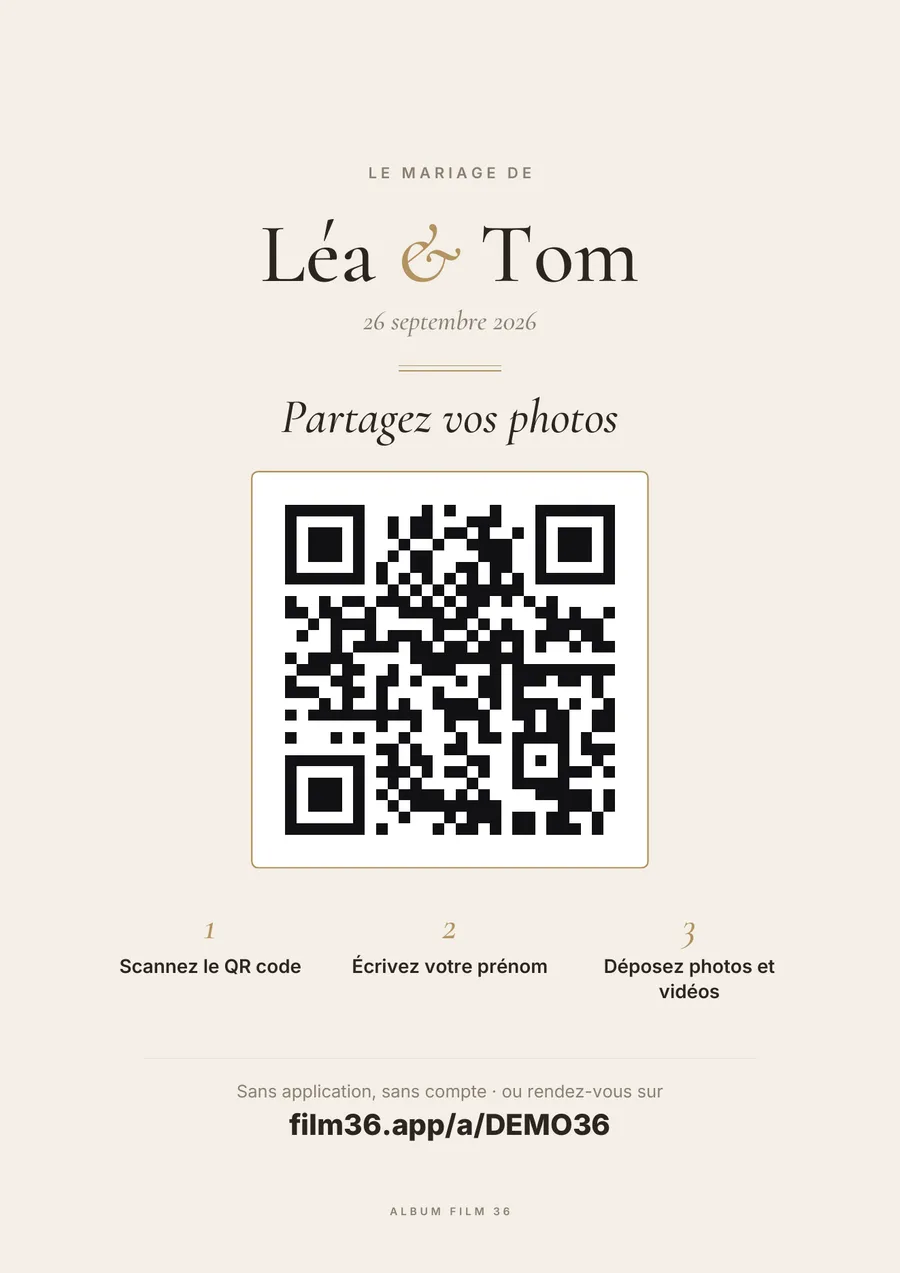
The poster goes by the entrance or the bar: share your photos, the QR code, three steps (scan, type your name, upload) and the link in plain text for those who would rather type it.
Table cards print four to a page, in A6, ready to cut. Poster and cards are PDFs, in your album's style, sharp at any print size.
The gallery
Everything arrives live, and the slideshow follows
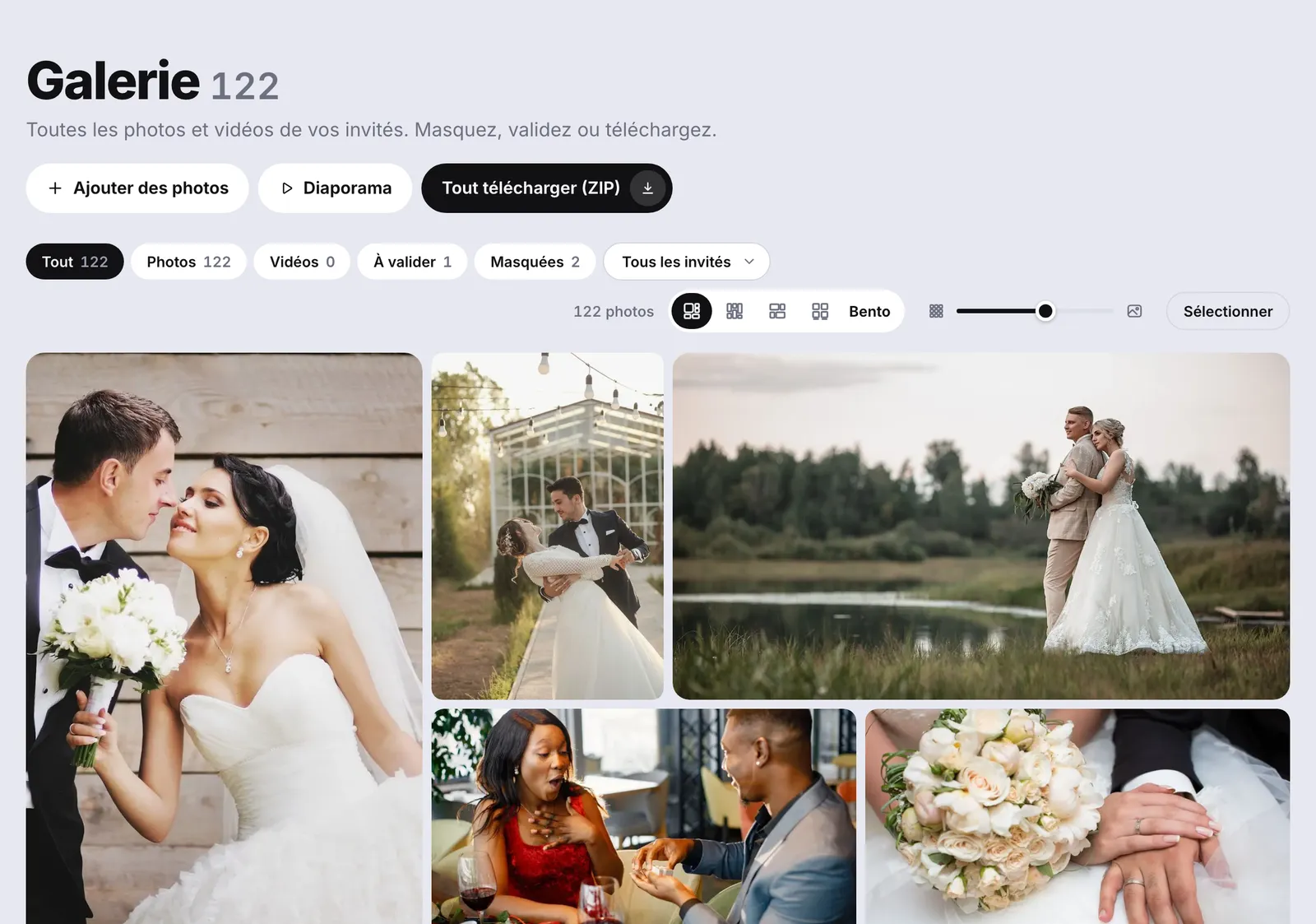
Photos and videos land in your gallery as the evening goes on. You filter by type or by guest, heart the best ones, hide or delete in a couple of taps, and download everything at once as a ZIP, at original quality.
The live slideshow plays the photos on the TV or projector, newest first, with a QR code in the corner so the room keeps adding more. Each photo stays on screen from 3 to 30 seconds, your choice.
Make it yours
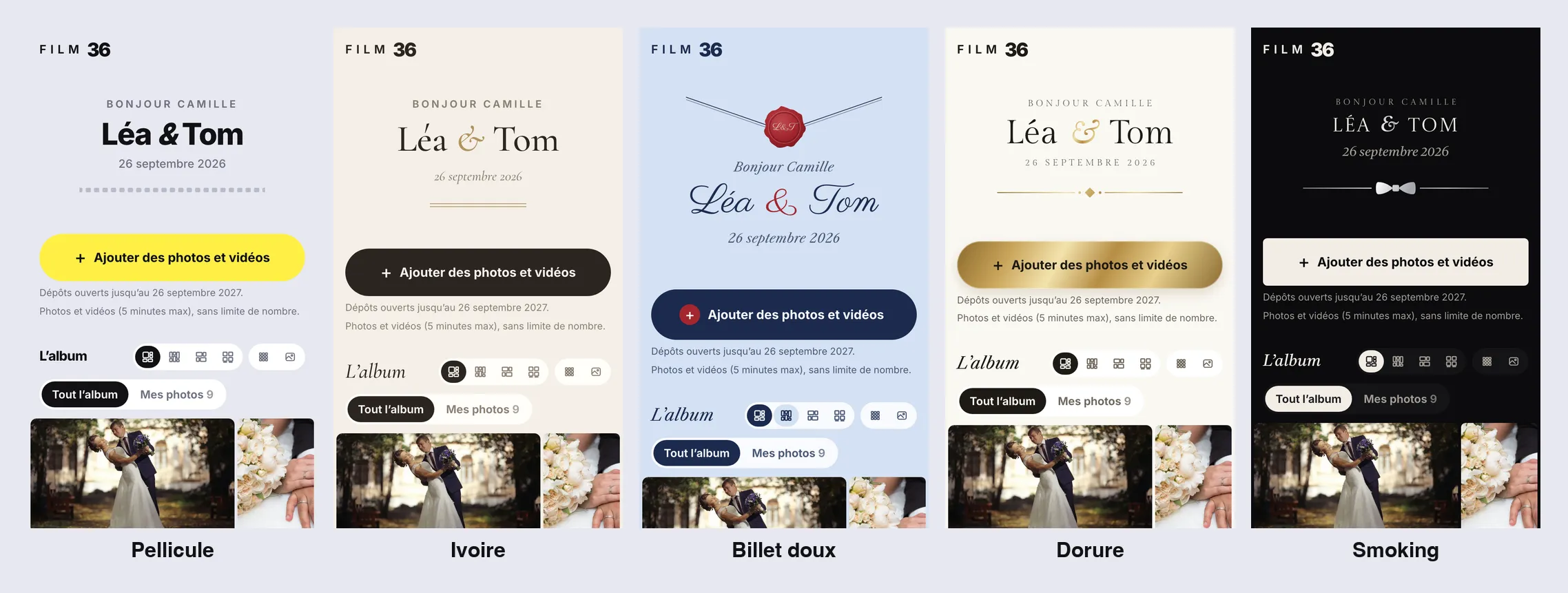
Five styles, from the poster to the slideshow
Pellicule, Ivoire, Billet doux, Dorure, Smoking: all five are included. The style you pick dresses the guest page, the poster, the table cards and the slideshow. Add a cover photo and a welcome note, with a live phone preview.
Control and privacy
You decide what guests see
- The whole gallery, only their own photos, or only your favourites.
- Photos go up straight away, or after your approval, one by one.
- A photo reported by a guest is hidden at once, pending your decision.
- Nothing is public: the album is only visible to people who have the link.
- Hosted in the European Union, in Ireland. Photos are only used for the album: no advertising, no resale, no AI training.
- Before deletion, a reminder email 7 days then 2 days ahead, so you can download everything.
Screenshots from the demo version, in French: names, photos and the DEMO36 code are examples. Guests see the page in English when their phone is set to English.
Google Photos, a budget album or Film 36?
What each option costs and asks of your guests, prices checked on 25 September 2026.
| Google Photos + QR code | Budget albums | Film 36 | |
|---|---|---|---|
| Price | free | €9.90 to €35 | free up to 100 photos, €49 unlimited |
| Guest account | yes, a Google account | often not | no, a first name is enough |
| Photo quality | depends on each guest's settings | sometimes downsized | original file |
| Videos | yes | not always, or very short | yes, up to 5 minutes |
| Open for | as long as the account exists | 30 days to 6 months | 12 months |
| Moderation | no | rarely | yes |
| Download everything | via Google Takeout | not always | yes, as a ZIP |
To be fair: for a small wedding among friends who all have a Google account, a shared album can be enough.
Free album or full album
| Free album | Full album | |
|---|---|---|
| Photos | up to 100 | no limit on number (50 GB) |
| Videos | no | yes, 5 minutes each |
| File size | 50 MB | 1 GB |
| Quality | original | original |
| Uploads open | 30 days after the wedding | 12 months after the wedding |
| QR code, poster, cards, slideshow | yes | yes |
| Download all as ZIP | yes | yes |
| Five styles, moderation, favourites | yes | yes |
When the free album nears 100 photos, a notice says so in your gallery. At 100, guests can no longer add anything.
One price, paid once
No subscription: you pay once for the whole wedding, VAT included. You can create the album, try it as a guest, and pay later.
-
Free album
€0 to try it out
- Up to 100 photos
- No video
- Uploads open 30 days
- QR code, poster, slideshow and ZIP included
-
Full album
€49 once, VAT included
- Unlimited number of photos, 50 GB
- 5-minute videos
- Files up to 1 GB
- Uploads and storage for 12 months
-
Album + guest book
€59 €64 with video messages
- The full album
- The audio guest book
- One QR code for photos and voices
- Already bought the guest book on its own: upgrading to the full album is charged as the difference, €39.10 after a €19.90 guest book.
- Secure payment through Stripe, which issues the invoice.
The Film 36 family
Film 36 started as an iPhone disposable camera app: 36 shots, revealed the next morning. The QR code album does the opposite: it changes nothing about how your guests take photos, it collects what they have already shot, with no shot limit and no film filter.

Frequently asked questions
Do my guests need to install an app or create an account?
No. The QR code opens a page in the browser. A first name is enough.
Does it work on Android as well as iPhone?
Yes. Every recent phone camera reads QR codes, and the page works in Safari, Chrome, Samsung Internet and Firefox.
How do we create our wedding QR code?
It is created with the album, in two minutes. You then download the QR code alone, the A4 poster or the table cards as PDFs.
How many photos and videos can we receive?
With the full album: no limit on number, up to 50 GB, which is several thousand photos, and each video up to 5 minutes. The free album holds 100 photos, without video.
Are the photos compressed?
No. Only the gallery thumbnails are reduced, so they load fast. Downloading gives you the original.
How long can guests upload, and how long do we keep everything?
With the full album, 12 months after the wedding. You are warned 7 days and then 2 days before deletion, so you can download everything.
Can guests see each other's photos?
If you want them to: the whole gallery, only their own photos, or only your favourites.
Where are the photos stored?
In the European Union, in Ireland. They are only used for your album.
How is this different from the Film 36 app?
The Film 36 iPhone app is a disposable camera: each guest has 36 shots, revealed the next day. The QR code album collects the photos guests already take with their own camera, with no app and no shot limit.
Create your album before you print the table cards
Two minutes, free up to 100 photos. Try it as a guest before you share it.
