
Travel
Waycash
Waycash: the travel budget app that decides with you
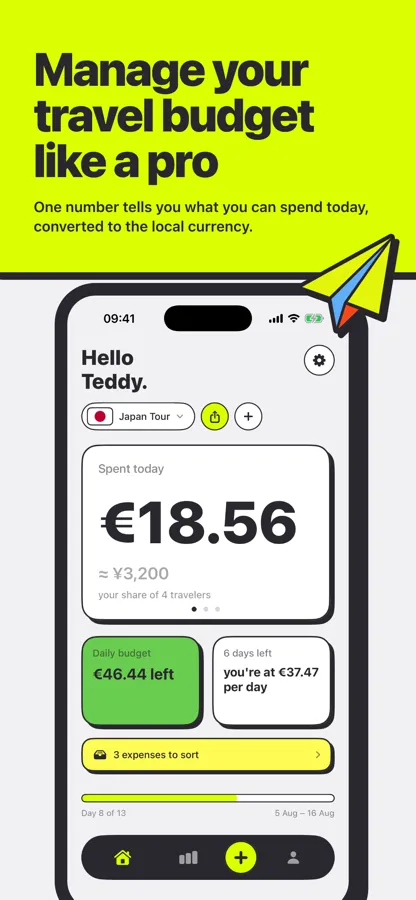
Waycash is the travel budget app that tells you what you can spend today, converted to the local currency, and settles the group's accounts at the end.
Two trips entirely free. After that a Trip Pass at €7.99, paid once per trip, with no subscription.
-
2 trips
entirely free, no subscription
-
0
signal needed to log an expense
-
10 categories
built for travel, not recycled from a grocery budget
01 Where it started
The only question you actually ask on the road
It is not how much have I spent since I left. It is can I afford this restaurant tonight. Budget apps answer the first question. None of them answered the second.
I tried shared spreadsheets, expense splitting apps, paper notebooks. They all share the same flaw: they record the past. Standing there with the menu in your hand, not one of them helps you decide.
So I wrote a referee rather than a counter. Waycash does not lecture you about what you have spent, it tells you what is left for today.
I wanted something that helps me decide, not a ledger.
02 Today's number
A travel budget app that fits in one number
You open the app and see one thing: what you can still spend today. Converted to the local currency, because nobody does exchange rate maths in their head while ordering.
Below it, two markers only. What is left for the day, and your actual pace against the planned one. That is everything you need standing on a pavement in front of a window.
03 The group
Why the numbers never quite add up
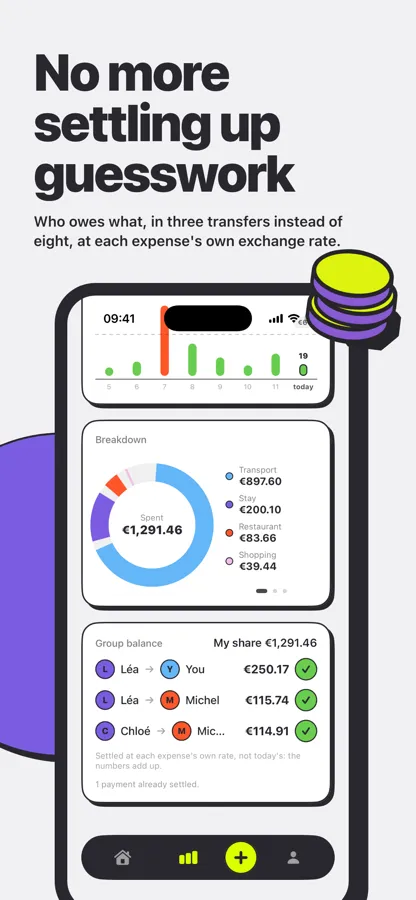
This is the feature that gets the strongest reaction when I show the app. At the end of the trip everyone knows who owes what, and the app collapses eight criss-crossing debts into three transfers.
The detail that changes everything: every expense keeps the exchange rate of the day it was paid. A dinner settled in yen on 5 August is not recalculated at the 16 August rate. That is precisely what expense splitting tools get wrong, and why the numbers never quite add up at the end.
Three transfers instead of eight, at each expense's own exchange rate.
04 The budget
What is already paid does not count the same
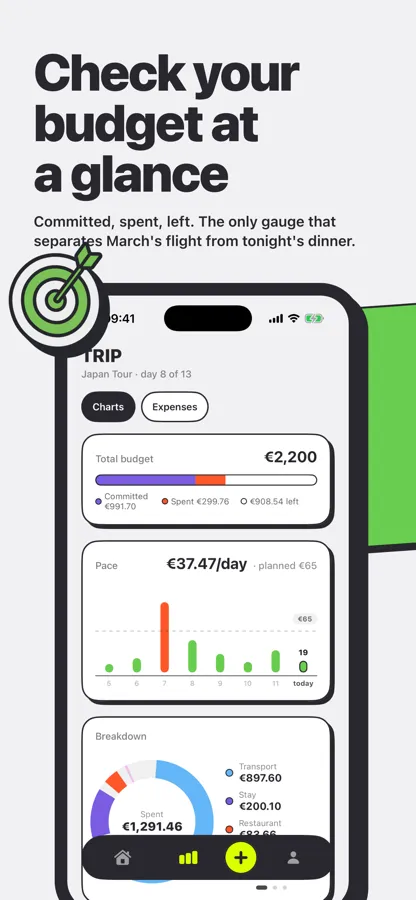
A trip gets paid for in two stages: what you commit to long before leaving, and what you spend once you are there. Mixing both into a single total tells you nothing.
Waycash keeps the three apart: committed, spent, left. The gauge shows where you actually stand, and the pace chart surfaces the days that broke the pattern without you scrolling a list.
05 Entry
If it is slow, nobody does it
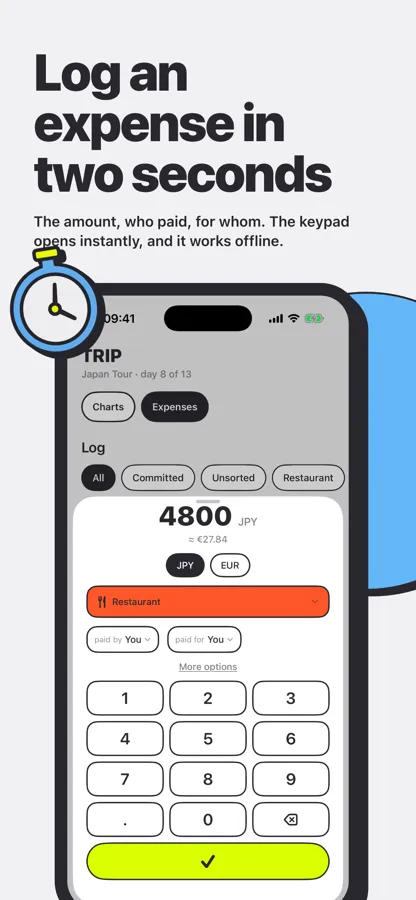
A travel budget app lives or dies here. If logging an expense takes thirty seconds, you stop on day three and the app becomes useless.
So the number pad opens straight away. The amount, who paid, for whom, done. It works with no signal, which matters when you walk out of a restaurant in a country where you have no data plan.
06 The log
Rereading your trip in yen and in euros
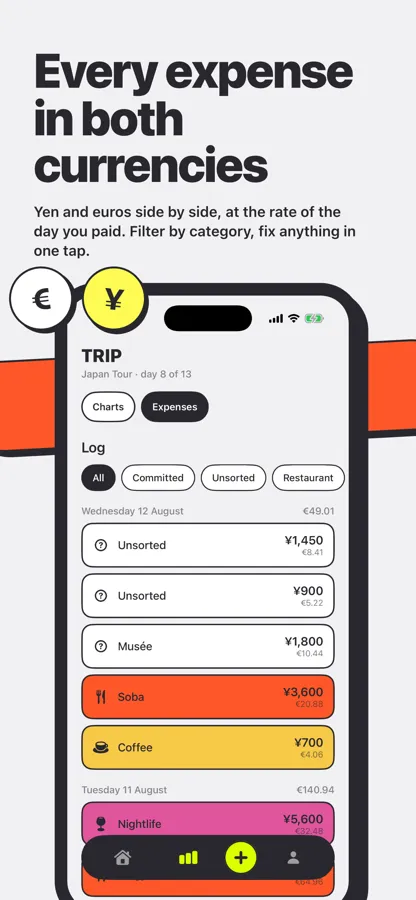
Yen and euros side by side, at the rate of the day you paid. You reread your trip in the local currency without losing your sense of what it costs back home.
The log filters by category, and any expense can be fixed in one tap. No form to reopen, no three screen confirmation.
07 Sorting
Nobody categorises while paying
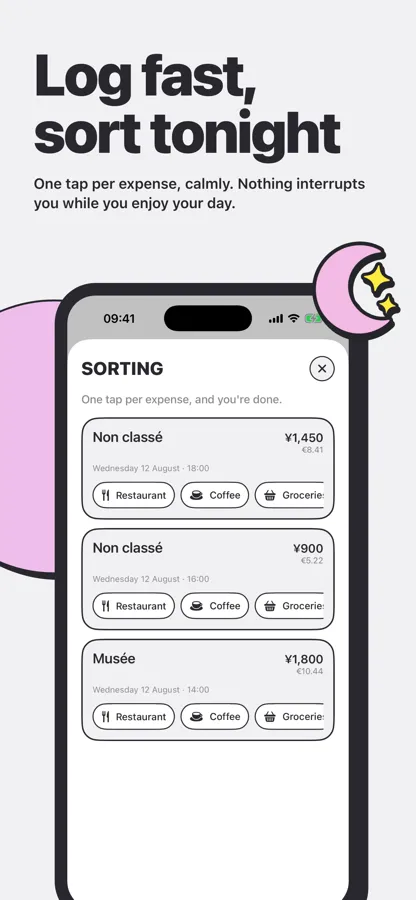
Categorising is the second place this kind of app gives up. Picking a category while paying costs another thirty seconds, and nobody does that two days running.
Waycash therefore accepts unsorted expenses. In the evening, back at the hotel, one screen hands them to you one by one with the categories a tap away. Three expenses filed in ten seconds, calmly.
08 Categories
One colour per category, no legend to read
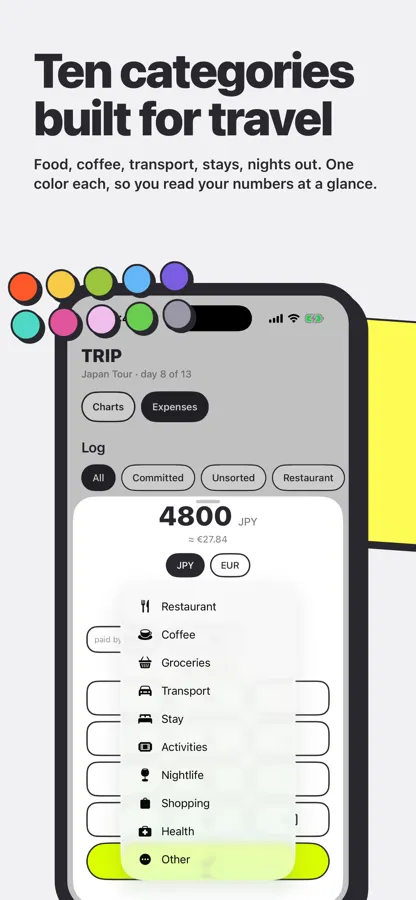
Food, coffee, groceries, transport, stays, activities, nights out, shopping, health, other. Not grocery budget categories recycled for the occasion.
Each one has its own colour, so the log and the donut chart read without a legend. A small thing, but it is what makes people look at their numbers instead of avoiding them.
What it does
-
Today's number
What you can still spend today, converted to the local currency, at the top of the home screen.
-
Group accounts that add up
Every expense keeps its own exchange rate, so the settlement is right at the end of the trip.
-
Committed, spent, left
The flight you booked in March does not pollute the budget for your week on the ground.
-
Offline entry
The keypad opens instantly and nothing depends on a signal, which is the rule rather than the exception abroad.
-
Evening sorting
Log without categorising, then file each expense in one tap when you have a moment.
-
Dual currency throughout
Local and home currency side by side, in the log and in the statistics alike.
What comes next
Bank connection is the big piece ahead: card spending landing straight in the trip without retyping it. It is also the trickiest, because a budget app that gets an amount wrong is worth less than no app at all.
In the meantime the app is heading into testing. If you are travelling soon and want to try it on a real trip, write to me. Looking at real budgets is how I fix what I did not anticipate.
Privacy and terms
Waycash works without an account, and in that case nothing leaves your iPhone. What is collected, why, where it is hosted and how to erase it all is set out in the Waycash privacy policy. The rules of the service, what is free, what is paid and who answers for what are in the terms of use and legal notice.
Frequently asked questions
What is a travel budget app like Waycash for?
For deciding on the spot. Waycash works out what you have left to spend today from your total budget, what you have already committed and how many days remain, then gives you that number in the local currency.
Does it work without a connection?
Yes for everything that matters on the ground. Entry, the log and the budget all work offline. Exchange rates are downloaded in advance and cached for the duration of the trip.
How does Waycash settle group expenses?
Every expense records who paid and for whom, with its own exchange rate. At the end the app computes the smallest set of transfers that squares everyone up, often three instead of eight.
How much does the app cost?
The first two trips are entirely free, with no feature limits. After that a Trip Pass costs €7.99, paid once per trip. There is no subscription.
Do my expenses go to a server?
No. Your trips and expenses are stored on your iPhone. No account is needed to get started.
Which version of iOS do I need?
Waycash requires iOS 17 or later.
Coming soon
Waycash is coming very soon.