
How to save TikTok recipes so you actually cook them
TikTok bookmarks were never built for cooking. Here are four ways to save TikTok recipes and still find them on the evening you actually want to cook one.

Food & Drink
Marmite
Marmite is the iPhone app that lets you extract ingredients from a recipe link on TikTok, Instagram, YouTube or any cooking blog, in about ten seconds.
Free for 50 recipes and 2 cookbooks. Pro is €3.99 a month or €29.99 a year to lift the limits.
10 s
to get the full ingredient list
0
video pauses, zero scraps of paper
4 sources
TikTok, Instagram, YouTube, blogs
01 Where it started
I had been saving cooking videos for years. The gesture had become automatic: a dish shows up, I tap the bookmark, I scroll on.
Then comes the evening you actually want to cook. Three hundred bookmarks. You replay the video and write the ingredients on a scrap of paper, pausing every four seconds because the person talks fast and the amount of flour flashes on screen for half a second.
Blogs are their own sport: eight paragraphs about the author's childhood and three cookie banners before you reach the shopping list.
The copying part is exactly the kind of work a machine should be doing.
02 Import
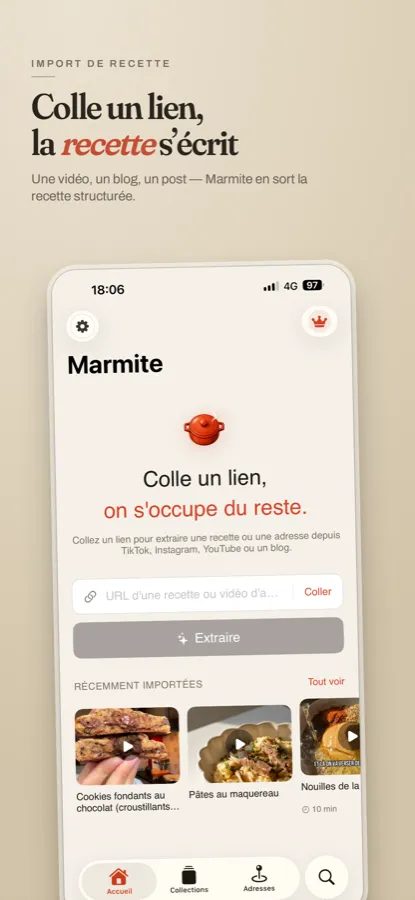
The whole idea fits in one sentence: you paste a link, the app hands you a card.
Three things happen underneath. Marmite pulls the content of the link, whether that is the text of an article or what is said and shown in a video. It then spots what looks like an ingredient list: a name, an amount, a unit. Finally it lays everything out cleanly, with the steps separated from each other.
03 Ingredients
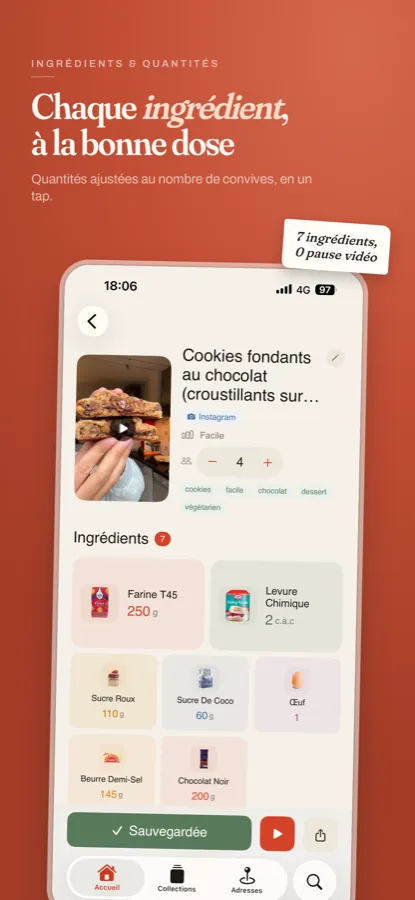
Here is what you get. Every ingredient has its picture, its amount and its unit. No pausing, no scrap of paper.
The hardest part was never the parsing, it was the units. A recipe saying a pinch of salt and another saying 2 g mean the same thing, but a computer does not know that. I spent more time on this than on the rest of the app combined.
Go from 4 to 6 guests and 250 g of flour becomes 375. Everything recalculates at once.
04 Collection
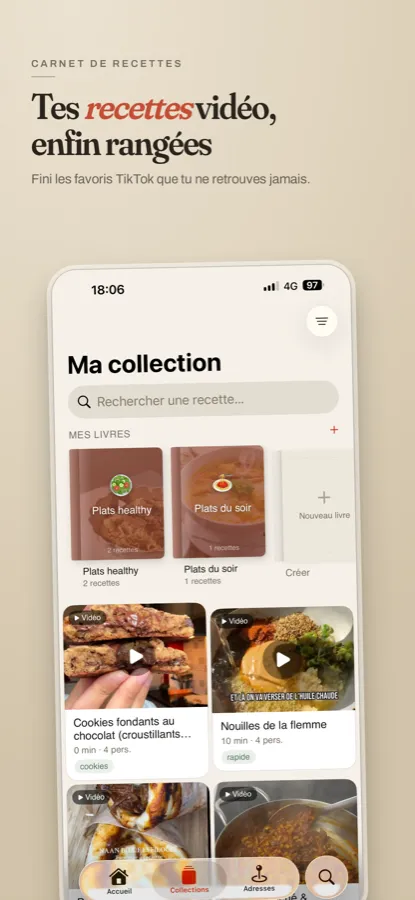
Once extracting is fast, you extract a lot. So the recipes had to be storable, and above all findable again.
Search covers titles and ingredients alike. You remember there was mackerel in it but not what the dish was called? That is enough to find it.
05 Cookbooks
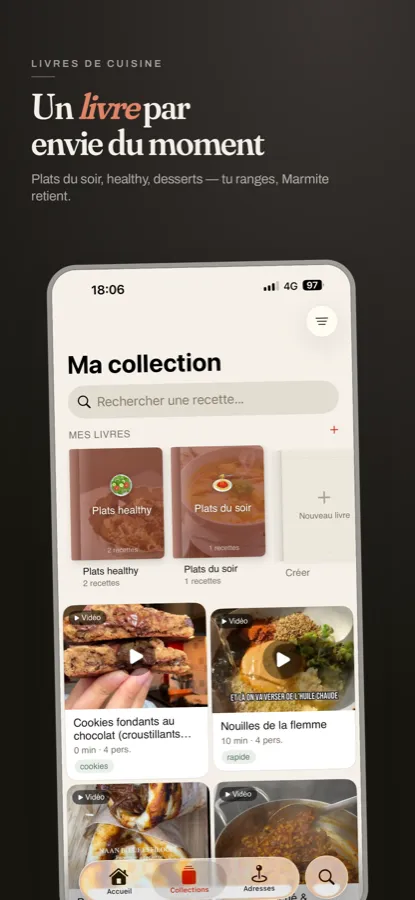
Marmite borrows the idea of the cookbook. You create Weeknight dinners, Desserts, Things the kids will actually eat, and you drop recipes into them.
That is much closer to how people really look for a dish, which is by craving, than any classification by ingredient type.
06 Places
This one came from a habit I had not planned for. Plenty of the videos I saved held no recipe at all: they were restaurants, bakeries, coffee shops.
Marmite handles those too. When a place is mentioned, the app picks it up and drops it on a map that belongs to you. Walk through that neighbourhood a year later and it is still there.

TikTok, Instagram Reels, YouTube or a blog post. If the page holds a readable recipe, Marmite can structure it.
One tap on the plus button and every quantity recalculates, including the ones written in spoons.
Sort by craving rather than by category, and find a dish again in two seconds.
Restaurants and bakeries mentioned in videos land on your own personal map.
No account to create, no server holding your recipes. They live with you.
No ad banners, no holiday anecdote before the shopping list. The recipe, and nothing else.
A consolidated shopping list, adding up the ingredients of several recipes into one, is the next step. Weekly meal planning and widgets come after that.
If you use Marmite and a recipe comes out wrong, send me the link. That is how I fix the cases I had not anticipated, and there are always more of them.
Copy the link to the video or the article, paste it into the field on the home screen, then tap Extract. Marmite reads the page or the video and shows the ingredient list with quantities in about ten seconds.
TikTok, Instagram, YouTube and most cooking blogs. If a page holds a readable recipe, Marmite can usually structure it.
Yes. When the caption is empty, Marmite relies on the content of the video itself to rebuild the ingredient list. That is the most common case on TikTok.
No. You can extract your first recipe without signing up, and your recipes are stored on your iPhone.
Yes for normal use: 50 recipes and 2 cookbooks. The Pro version, at €3.99 a month or €29.99 a year, lifts those limits.
Marmite requires iOS 18 or later.
Download
Marmite is on the App Store.