
How to make a seating chart without losing your evening to it
To make a seating chart you need six decisions, in a specific order. Here is the method, the placement rules that matter, and the classic traps to avoid.

Lifestyle
Tablee
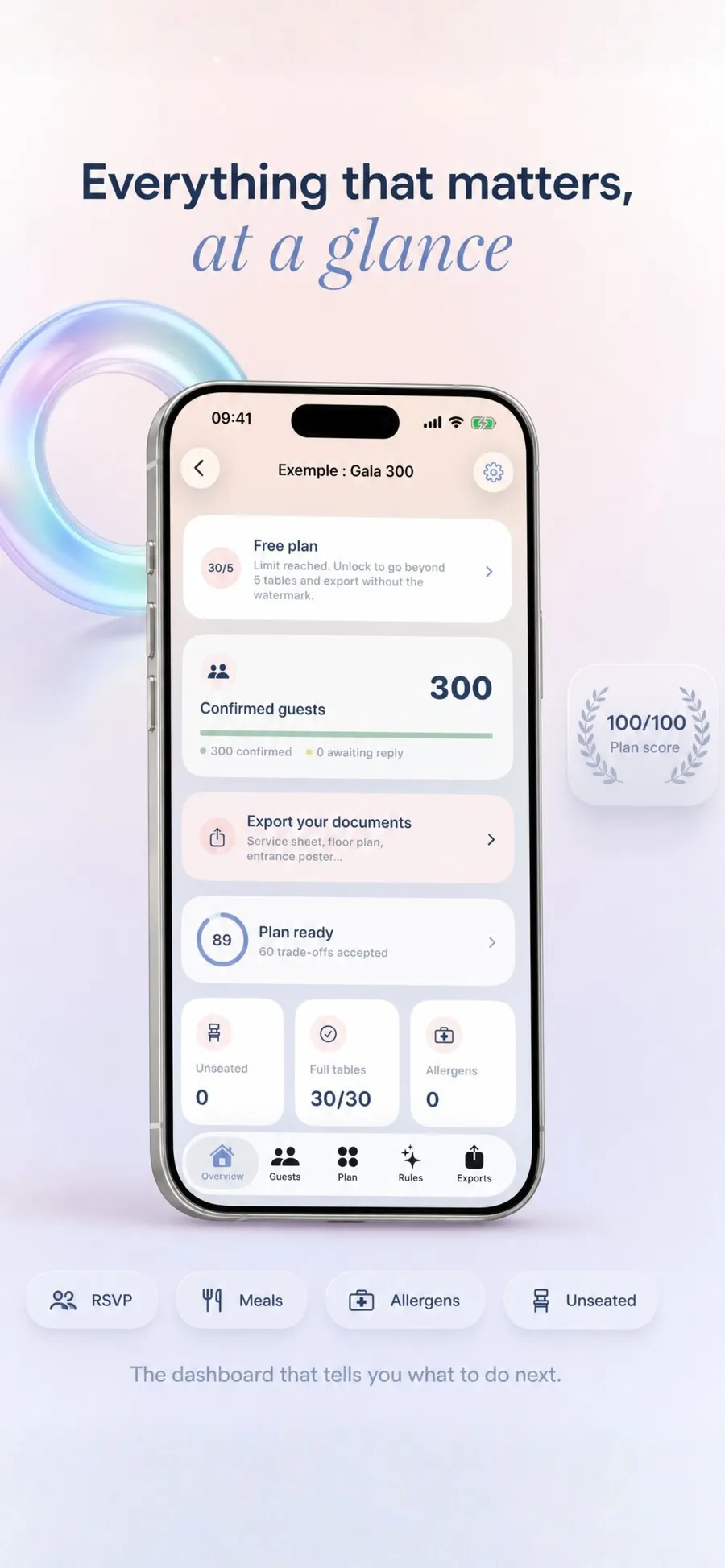
Tablee builds your wedding seating chart from your guests and your rules, shows you every compromise it made, and prints the four PDFs you actually need.
Free up to 5 tables, with the whole editor and the whole solver. One full event is $8.99 as a one-off purchase kept for life, up to 200 tables. Tablee Pro is $79.99 a year for unlimited events.
3 rules
together, side by side, apart, each with three levels of importance
4 PDFs
caterer sheet, floor plan, alphabetical list, entrance poster
0 accounts
no server at all, everything is computed on the device, even offline
01 The starting point
The seating chart is the moment organising a wedding stops being fun. A hundred and fifty names, families who no longer speak to each other, children who mustn't be separated from their parents, an uncle to keep away from the speakers, and twelve seats per table.
The classic method is sticky notes on the living room table. It works, right up until a late reply arrives. One cancellation three weeks out and you start again, because moving one note moves four others.
Tablee does that calculation for you. You describe who has to sit together, who has to avoid whom and who should be side by side, and the solver looks for the arrangement that satisfies the most rules. The principle is simple: the app proposes, you decide.
The app proposes, you decide. Nothing is imposed, nothing is settled quietly.
02 The plan
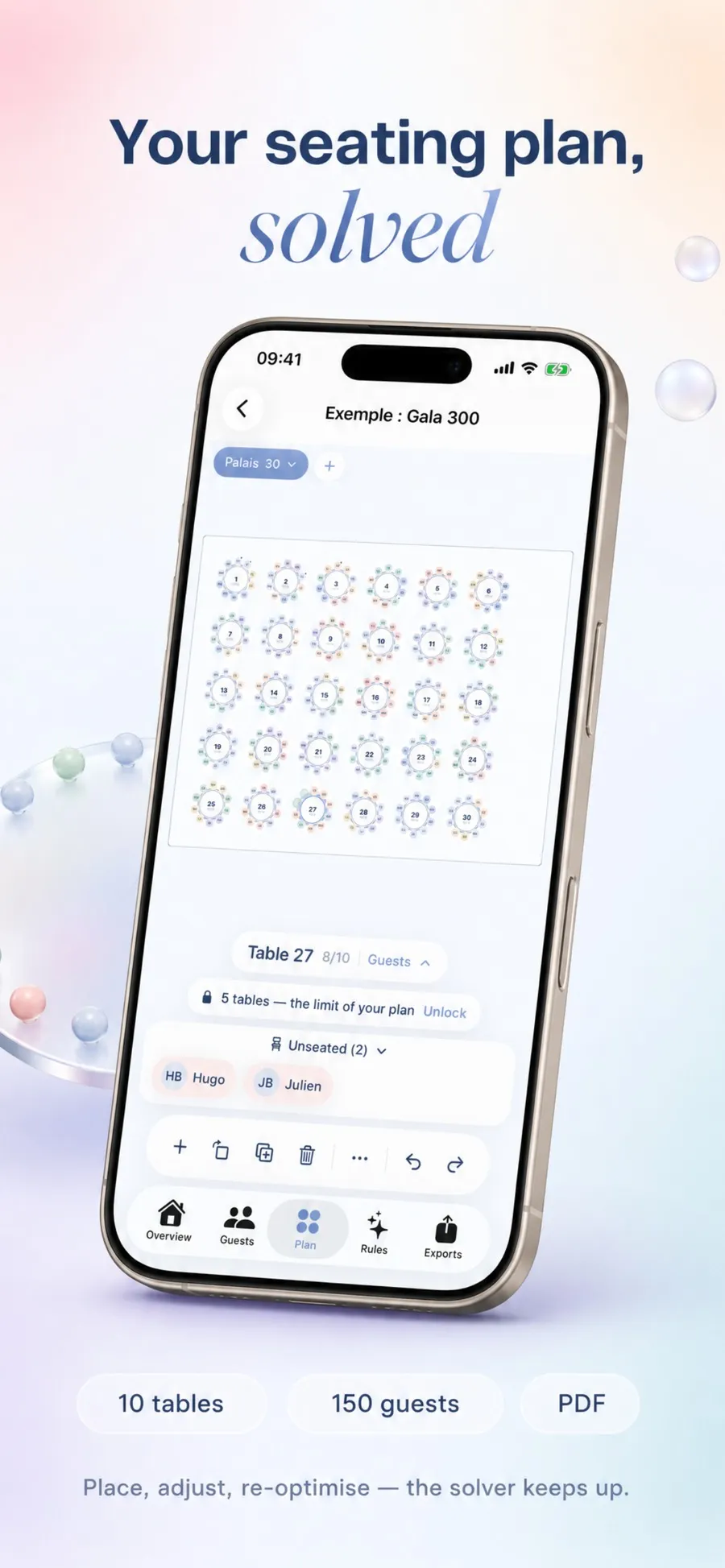
The canvas takes round and rectangular tables, and the room features that actually matter to seating: the stage, the dance floor, the bar, the buffet, the entrance and the exit. Everything moves with a finger, with undo and redo.
A double tap pins a guest. The solver will never move them again, however many times you recalculate. That is the release valve that makes automation acceptable: the bride next to her grandmother isn't up for negotiation with an algorithm.
An event can have several rooms, each with its own plan. Drinks in the garden and dinner in the barn aren't seated the same way, and shouldn't share one map.
03 The rules
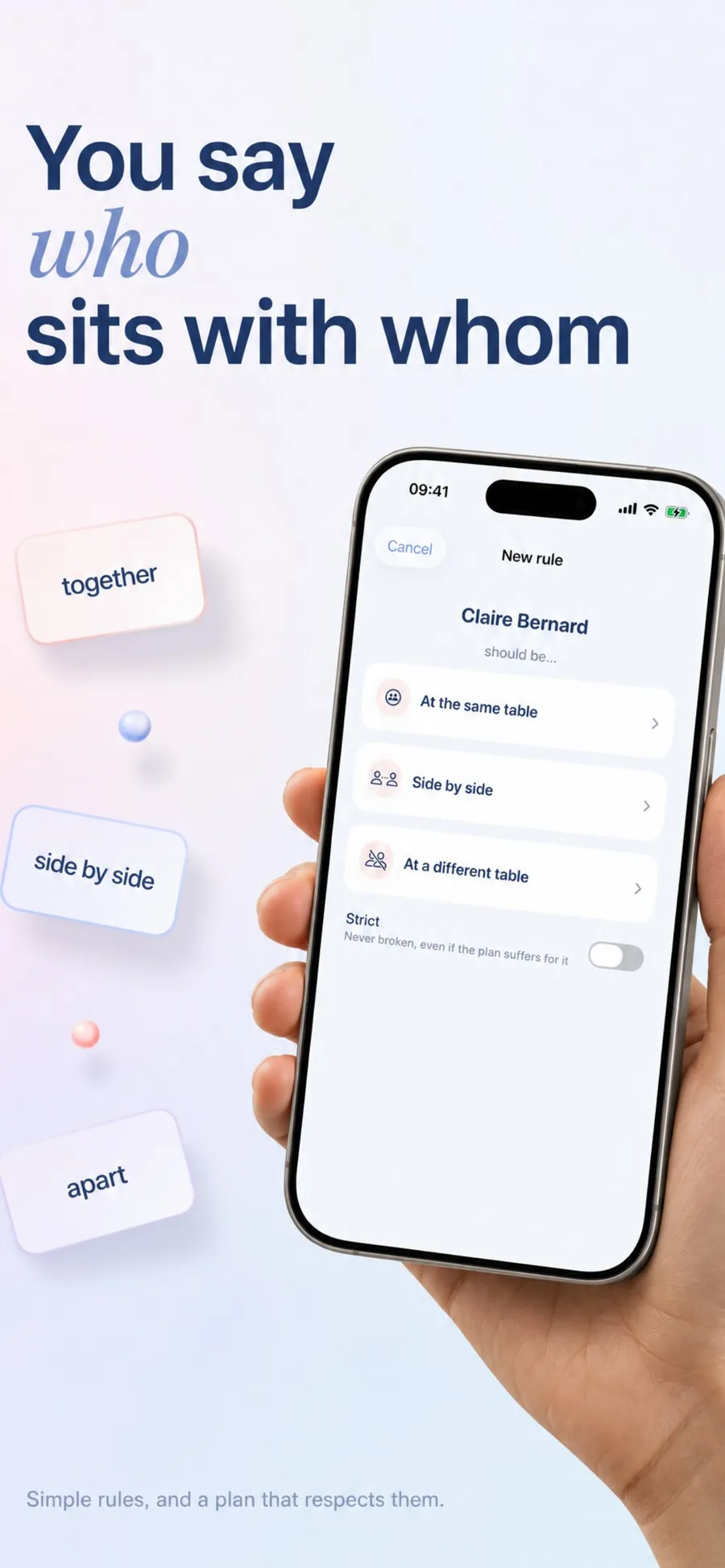
Three phrasings cover just about any seating constraint: at the same table, side by side, at a different table. No logical operators, no matrix to fill in.
Every rule carries a level of importance: if possible, important, essential. And a rule can be marked strict, which means it will never be broken, even if the plan suffers elsewhere.
That distinction is what separates a usable plan from a theoretical one. "It would be better if" and "absolutely not" are not the same constraint, and an app that treats them alike has got it wrong.
04 The solver
This is the part I care about most. A solver that hands back a plan with no explanation is a black box, and nobody trusts a black box to seat their family.
When two rules conflict, Tablee shows which one it sacrificed and why, with a direct link to the table concerned. You can then decide for yourself: accept the compromise, or promote one of the two rules to strict and run it again.
It is also stable. After a cancellation, the recalculation moves as few people as possible rather than starting over. The plan you approved stays recognisable, which saves you rechecking everything on every late reply.
A solver that hides its compromises is asking for your trust. This one shows its work.
05 The guests
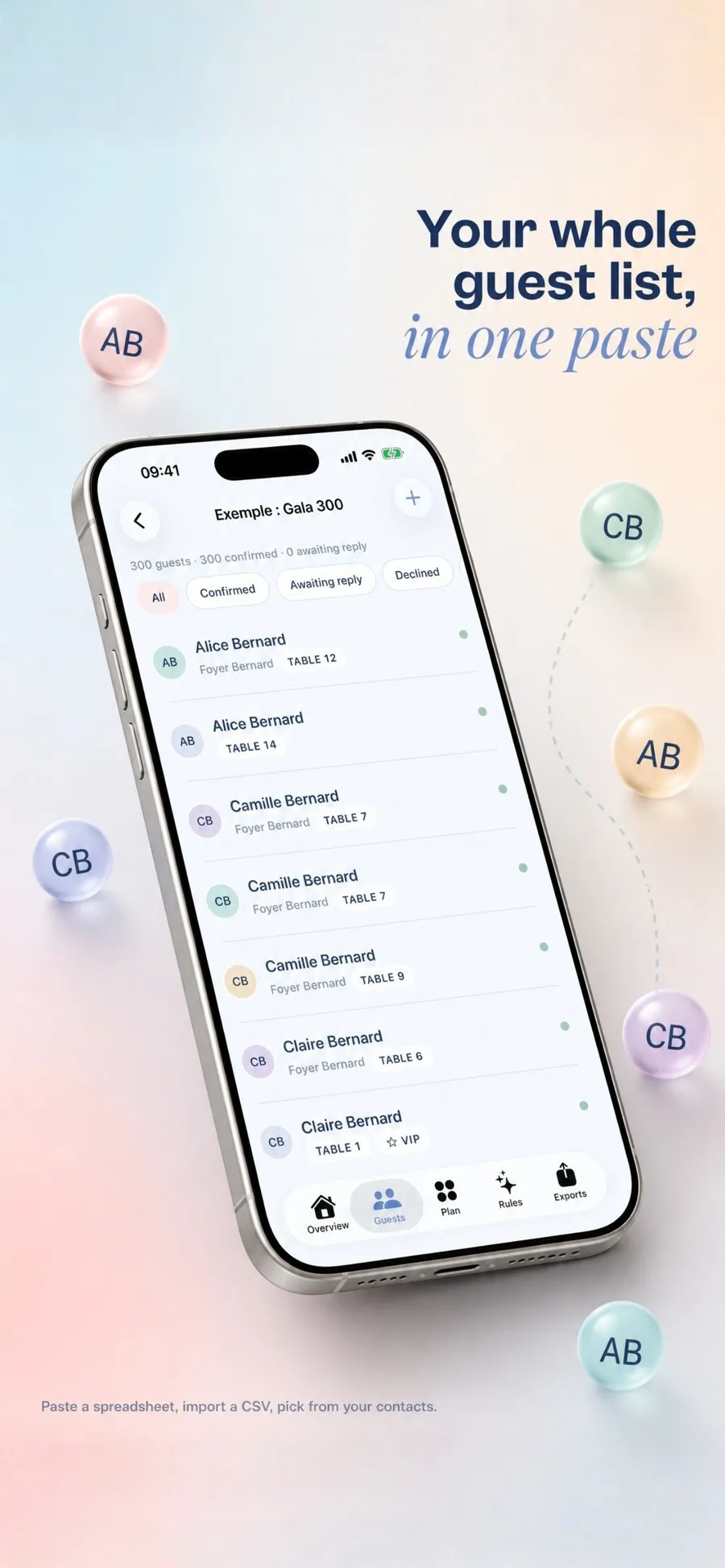
Three ways in: paste a table straight from Excel, Numbers or Google Sheets, import a CSV file, or pick from the iPhone's contacts through the system picker.
The columns are recognised on their own, in French as in English: name, household, group, meal, allergens, reply, child, VIP. It is the kind of detail that saves half an hour, and that nobody notices when it works.
Each guest then carries their household, their groups, their meal, their allergens, their reply status, and markers for child, VIP or reduced mobility. The list filters on all of it, including on guests who still have no table.
06 The exports
A seating chart is useless until it is printed, and everyone working on the day needs a different version of it. So Tablee produces four PDFs, not one.
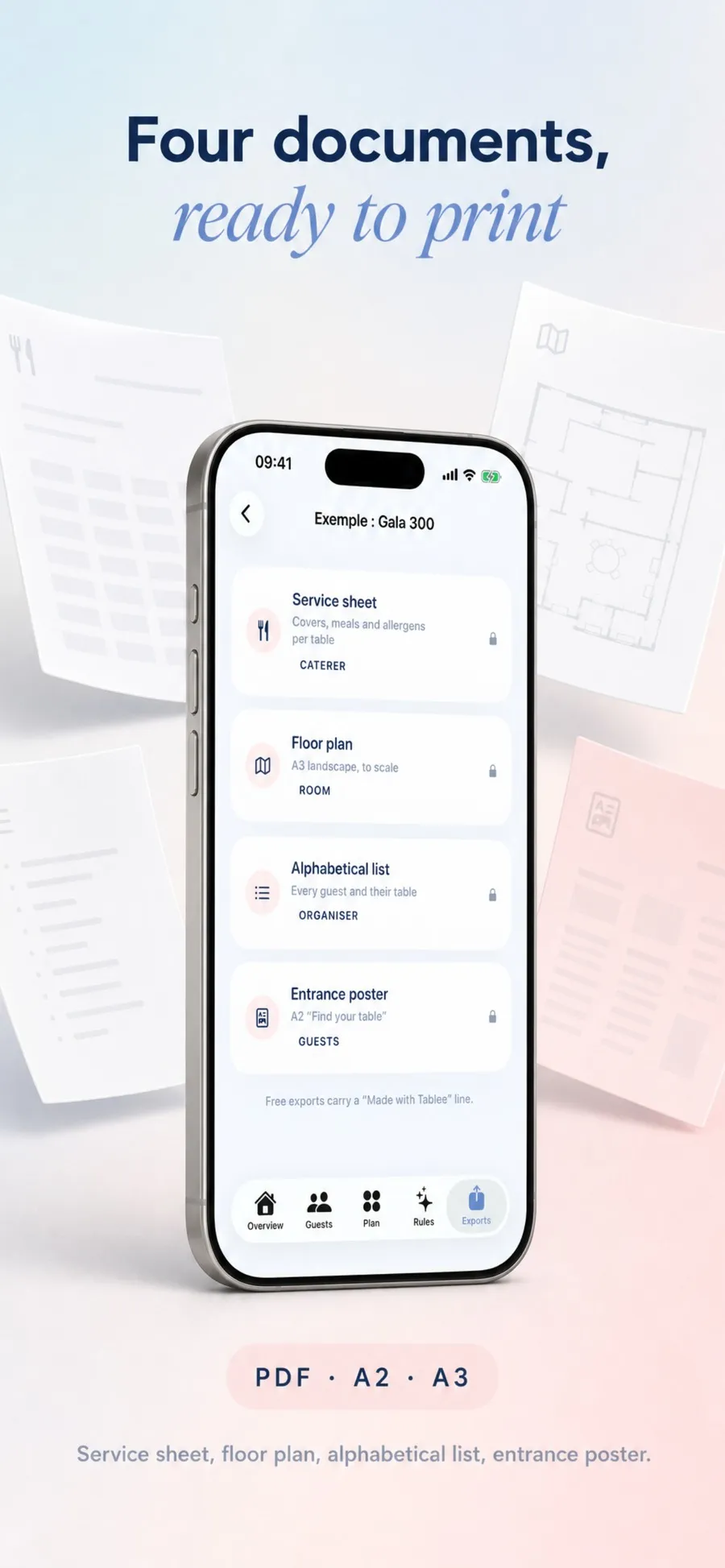
The service sheet counts covers, meals and allergens table by table: that is the caterer's document. The floor plan comes out in A3 landscape to scale, followed by one page per table. The alphabetical list gives every guest and their table, for the organiser. And the A2 entrance poster says "Find your table" to the guests arriving.
Exports are watermarked in the free version, which lets you see exactly what you are buying before you pay for it.
No account, no server. The solver runs on the iPhone, with or without a connection.
A guest placed by hand is never moved by a recalculation, whatever the reason.
It goes through your own private iCloud database, names and allergens encrypted with a key from your keychain.
The plans screen is the first step of creating an event, not an interruption after two hours of typing.
Tablee doesn’t handle invitations, or the budget, or the gift list. It is a tool for one job, the one that eats a whole evening and that no spreadsheet does well.
It doesn’t decide anything behind your back either. The placements it proposes are proposals, the compromises are displayed, and anything you pin by hand is final. An app that seated your family without explaining why would have been useless: you would have rechecked all of it.
Finally, it doesn’t replace knowing your own people. The solver knows that one guest must avoid another because you told it so. It will never guess.
The app has been live since 24 August 2026, in French and English, on iPhone and iPad.
Dark mode is drawn but not switched on yet: version 1.0 is light only, because a printed floor plan is read on white paper and I wanted the screen and the PDF to match before adding a second palette.
You enter your guests by pasting a spreadsheet, importing a CSV or picking from your contacts. You then describe your seating rules in plain words, such as at the same table or at a different table. The solver proposes an arrangement, and you adjust with your finger whatever doesn't suit you.
The recalculation moves as few people as possible rather than starting over. The plan you had approved stays recognisable, and every guest you pinned by hand stays exactly where they were.
Yes, in two ways. A double tap pins a guest, and no recalculation will move them again. A rule can also be marked strict, which means it will never be broken even if the rest of the plan suffers for it.
Four PDFs. The service sheet for the caterer, with covers, meals and allergens per table. The floor plan in A3 landscape to scale, then one page per table. The alphabetical list of every guest and their table. And an A2 entrance poster saying "Find your table".
The whole editor and the whole solver, up to five tables, with watermarked exports. So you can judge the app on a real event before paying anything.
$8.99 as a one-off purchase, kept for life, for up to 200 tables on that event and exports without a watermark. For professionals running one reception after another, Tablee Pro is $79.99 a year, with no limit on events or tables.
No. There is no account and no server, everything is computed on the device, offline included. Syncing between your devices goes through your own private iCloud database, with the sensitive fields encrypted by a key from your keychain.
Yes, on iPhone and on iPad, from iOS 17. The plan canvas is considerably more comfortable on a big screen, especially past ten tables.
Download
Tablee is on the App Store.